Last Week in AVP #101: NBA LIVE on Apple Vision Pro in 180° Immersive Video, 3D Calligraphy with Logitech Muse Pen, Houston Methodist Hospital collaborating with Apple on Medical Operations and more!
If you enjoy the content, please consider supporting me with a paid subscription
It helps sustain my work and keeps this going 🙏
Want to support but can’t commit to a sub? A one-time coffee keeps this work alive and is always appreciated. 🙌
Thoughts On The Lakers First Apple Vision Pro Immersive Live Broadcast (Forbes)
It was just another mid-winter matchup between good but not great NBA teams, though happily featuring a couple of former MVPs and the league’s leading scorers this year and all-time, with a contest that wasn’t resolved until the final seconds.
But the Los Angeles Lakers-Milwaukee Bucks matchup was also the first live Lakers NBA game broadcast in immersive 4K on the Apple Vision Pro, the insanely capable and extraordinarily expensive immersive headgear that debuted nearly two years ago and now is available in a dozen other countries.
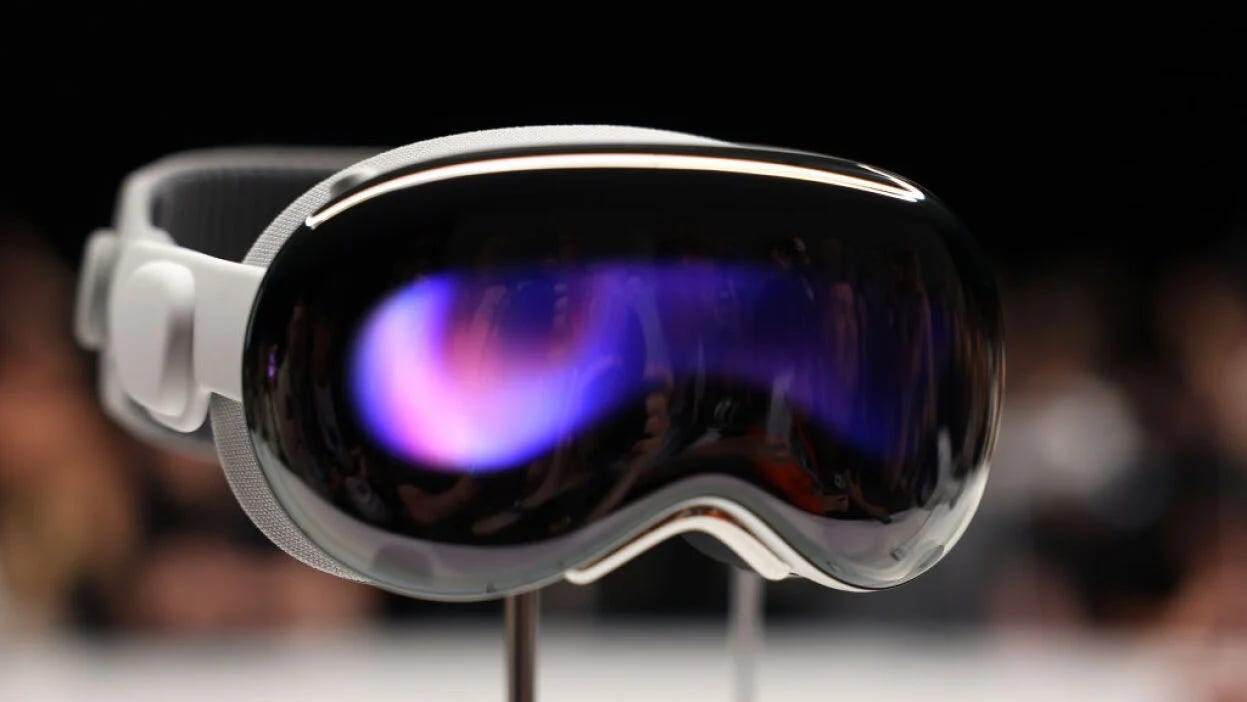
Yes, we’re already talkin’ Apple Vision Pro 2 — how it’s reportedly ‘better’ than the first (source)
We’re still (allegedly) just a month or two away from the Apple Vision Pro‘s long-awaited launch date, but rumors are already flying around about the second mixed-reality headset from Apple.
Citing market research firm Omdia, the Korean tech outlet The Elec reported that Apple is already planning display upgrades for the Apple Vision Pro 2.
NBA LIVE on Apple Vision Pro in 180° Immersive Video (source)
ust watched the NBA LIVE on Apple Vision Pro in 180° Immersive Video tonight, let’s talk: • The image quality is insane. Easily the best live sports experience I’ve seen in 3D 180 (Apple Immersive Video). • No commercials. Thank you, Spectrum. • 5–7 camera angles, including stanchion cams, high-and-wide, scoreboard, and a moving halftime camera. • Dedicated Vision Pro commentators: it genuinely feels designed for this platform, not adapted from TV. • Instant replays help eliminate dead moments during live play. • You can switch between Spatial Video and full immersive 180 viewing. • Live subtitles and live graphics rendered stereoscopically in 3D. • Visual consistency looks the same on both M2 and M5 Vision Pro. • No commercials… yes, still worth repeating. • This is the best live 3D sports presentation I’ve personally experienced.
10-minute behind-the-scenes broadcast of Lakers vs Bucks 2-hour immersive replay (source)
NBA LIVE on Apple Vision Pro in 180° Immersive Video demo footage (source)
Pretty damn cool
Especially when you have your Virtual Display running on top of it
It’s like your working right on the court sidelines
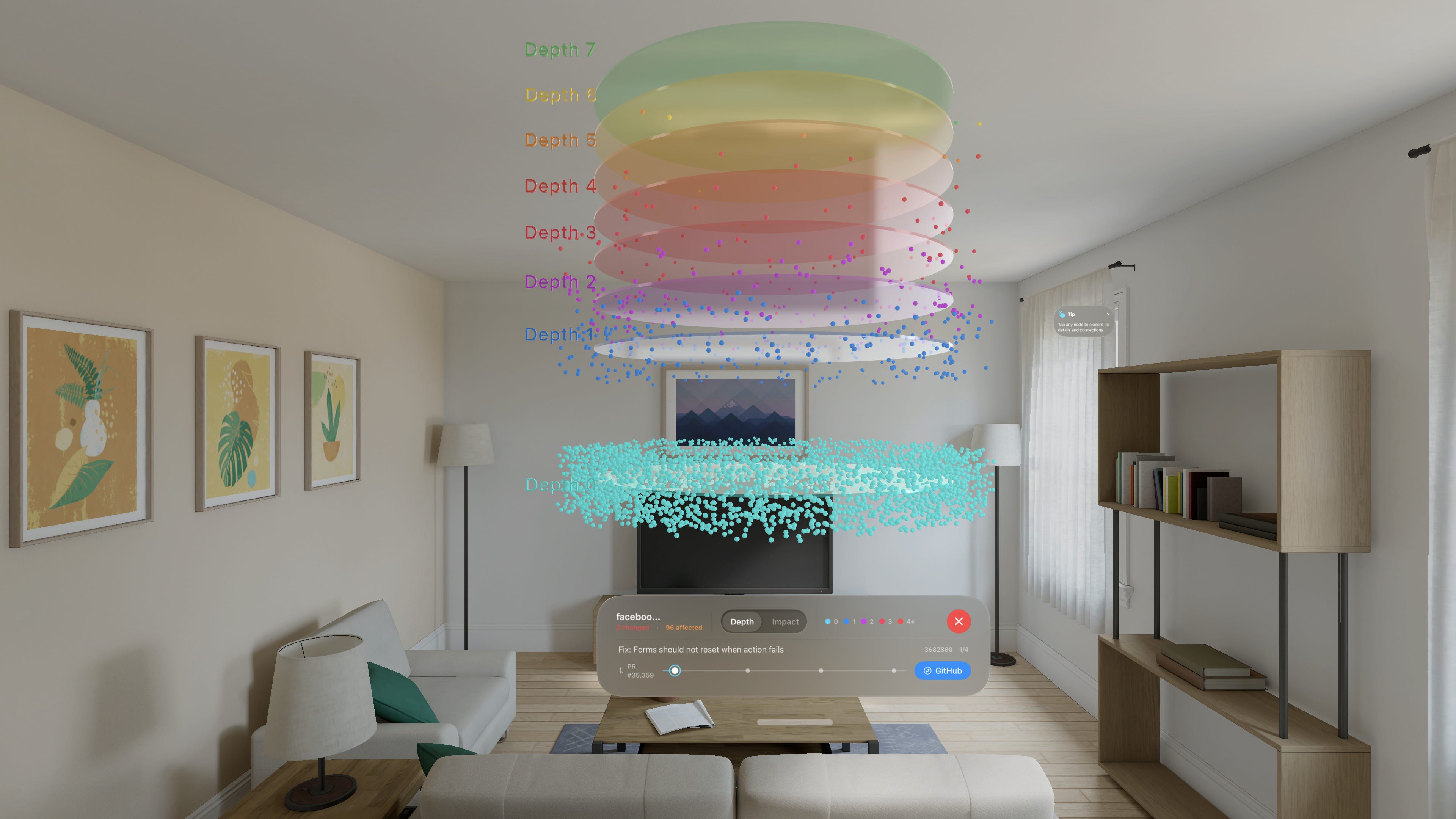
I’ve been building CodeLayers - a Vision Pro app that visualizes your codebase as an interactive 3D graph you can walk through.
What it does:
- Renders your code structure spatially - files are nodes, imports are connections - Color-codes by “depth” so you can see which files are foundational vs. entry points - Shows blast radius - tap a file and see everything that depends on it light up - Real-time sync with a CLI that watches your local changes
Privacy:
Built with zero-knowledge encryption. Your code is encrypted on your machine before it leaves. The backend only sees encrypted blobs it can’t read.
You can explore any public GitHub repo for free, no account needed.
3D calligraphy with Logitech Muse pen + new AirDraw features (source)
I recently updated AirDraw with Logitech Muse stylus support ( pressure sensitive drawing and tip based drawing ) I also added a ‘freeze physics’ toggle so you can setup elaborate scenes before enabling physics... and a voxel brush for block style painting
Try it out and let me know if you have feedback or feature ideas
Download the app free here: https://apps.apple.com/us/app/airdraw-finger-paint/id6477749286
Since I bought this AVP last Nov, my main usage of it is virtual cycling training through iPad app called Rouvy during off season.
Before having it, I did with my iPad but since I started to do with AVP, it makes training much more interesting and focused. I tried with environments for the immersive experience but it made me nauseous as soon as I changed it.
With little help of two strong circulators, there’s not much problem with sweat for me(and of course I’m not that sweaty guy compared to other cyclists).
I would like to know any road cyclists here using AVP for their training like me.
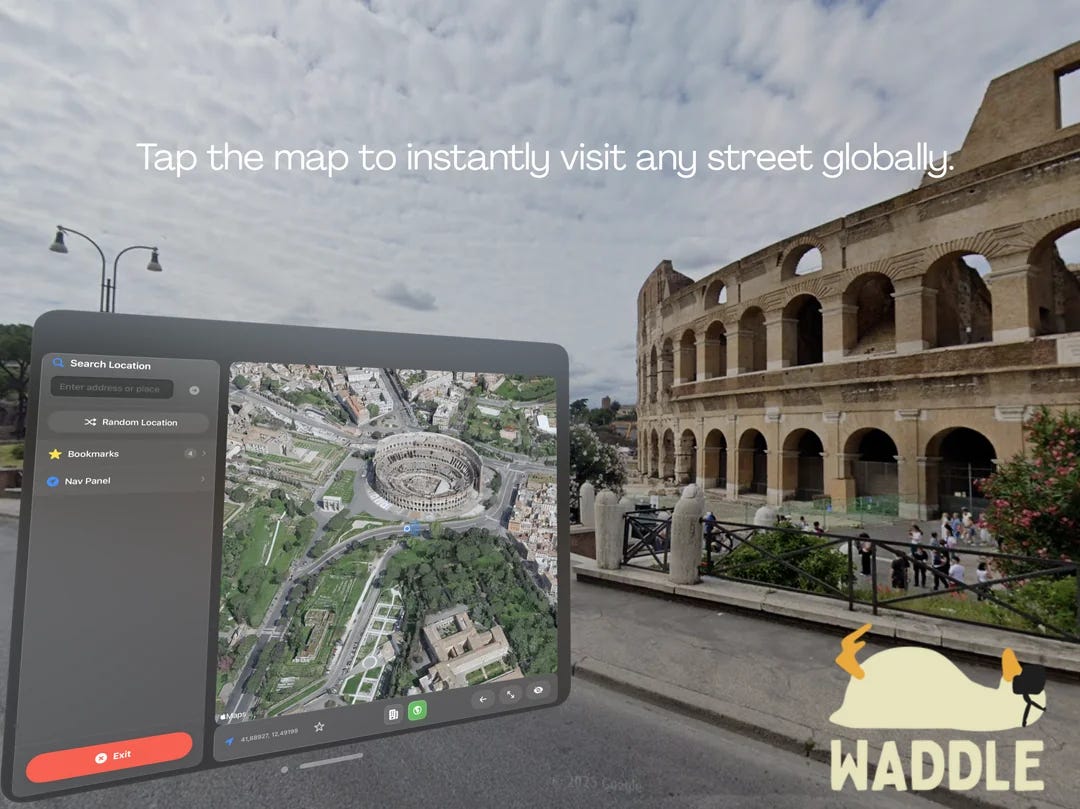
As some of you know I just launchedWaddlea week ago, a vOS app that lets you explore the world with immersive 360° Street View on Apple Vision Pro.
New update for Waddle went live two days ago. Have you had a chance to try it out yet? How did you like the update so far?
What’s new in Waddle:
- Increased Resolution - 3D Map View - Satellite Map View - New UI - Bug fixes
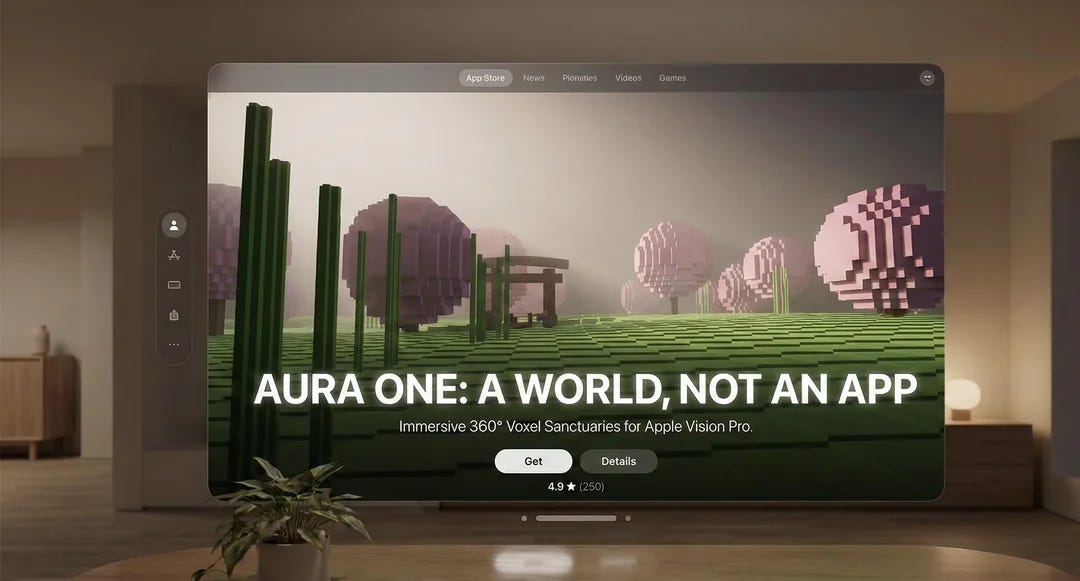
Aura One is now live on the App Store (VisionOS meditation experience (source)
Thanks to everyone who encouraged me to release this. Aura One is a calm 360° meditation space designed specifically for VisionOS. A small project, but built with intention — hope it brings you a moment of quiet.
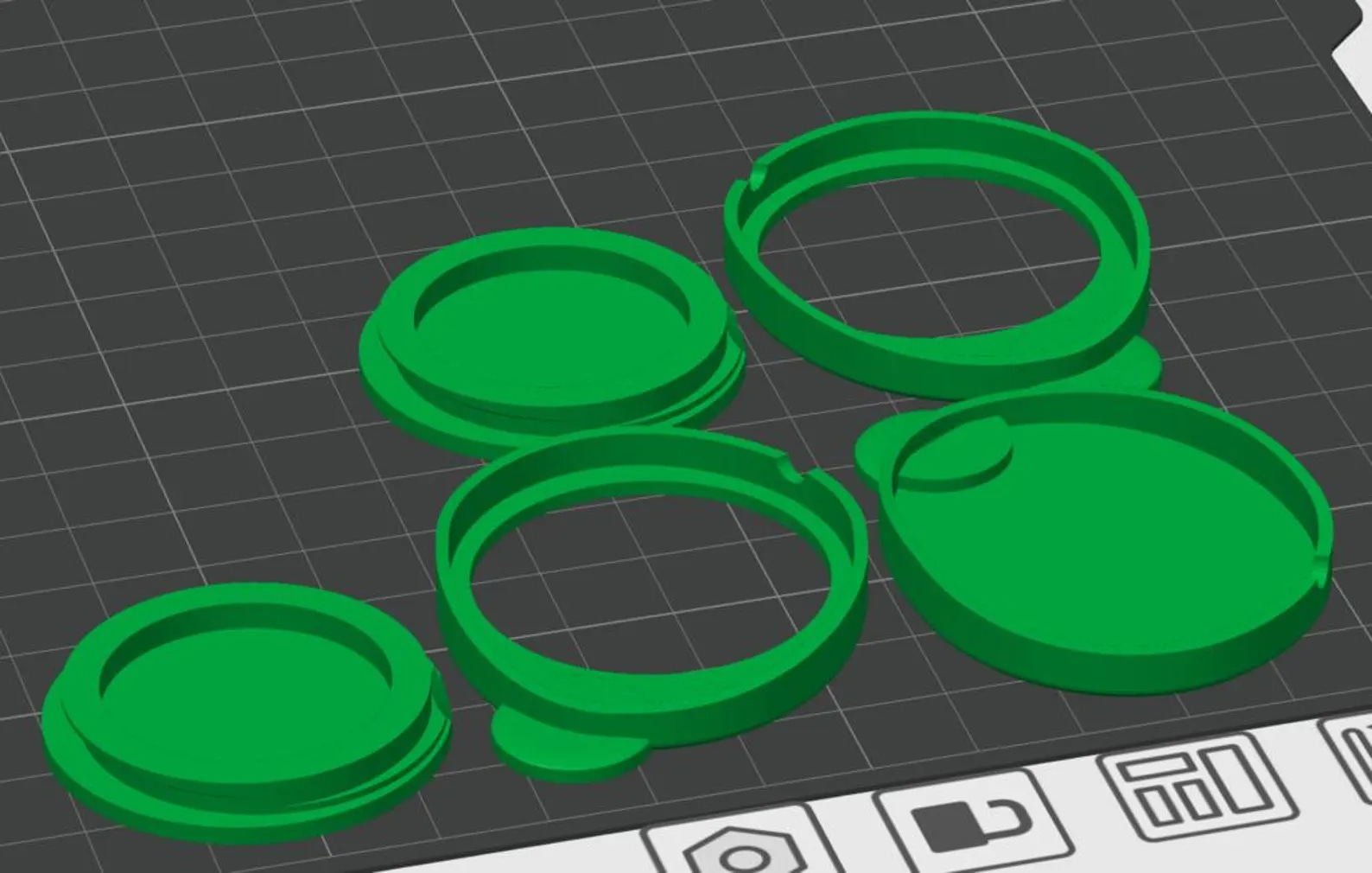
Tired of Vision Pro going to sleep every time you take it off during development? This Anti-Sleep Cap keeps it awake — instantly and safely.
This product contains STL and 3MF files for 3D printing. It is an anti-sleep insert designed to fit into the groove around the outer edge of the Apple Vision Pro lenses. Based on high-precision 3D scan data, the parts are engineered to fit securely in the groove without coming loose.
Humanoid robot controlled through apple vision pro (source)
another one from the team!
humanoid robot controlled through apple vision pro powered by @openmind_agi and operated remotely using standard apple hardware with no custom setup, more details soon
You can find Portals in the STAGEit Asset Library. There are a variety of shapes and sizes.
I had a blast making this Star Wars portal using free Creative Commons models from
https://sketchfab.com
.
A few notes:
Portals are invisible unless you are inside them, or viewing them from the ‘window’ side. If you add one and can’t find it, look for the green selection box.
When using Portals, ensure you go to Settings\Object and DISABLE Lock to Floor
Portals will mask everything, including models, windows, lights and so on. If you can’t find an asset you have added, hide the portal just in case it’s inside / behind it.
To create a really ‘moody’ scene disable ambient lighting on the models in your portal, and add your own. This means the portal scene will look the same regardless of the lighting in your room
Portals support custom materials which can be added from your photo library. You can use texture mapping to adjust the scale, position and rotation of a material.
Disabling objects (the hand symbol) is really important when working with portals, once the portal is positioned you should disable it, along with the portal frame so you can work with models inside the portal. Also a disabled model does not highlight when you look at it which makes the final portal look better.
Should be build a portal viewer widget so you can export them and view them outside of STAGEit?
Houston Methodist Hospital collaborating with Apple, and Fujifilm to assist physicians with the AVP (source)
Here at Houston Methodist Hospital we are collaborating with Karl Storz, Apple, and Fujifilm to provide our physicians with the highest resolution visualization during their monitor-based operations and procedures by viewing them with the Apple Vision Pro(AVP). This video depicts the AVP view of the completion endoscopy following repair of a large, Type IV paraesophageal hiatal hernia. From left to right, 3 virtual monitors show:
3D 4K Karl Storz laparoscopic image
1080p Fuji flexible endoscopic image** (Soon to be 4K!)
Patient vital signs.**
That’s all for now, know someone who might enjoy this newsletter? Please share with them! 🙏
Incredible compilation. The Houston Methodist surgical visualization use case actually shows why spatial computing beats traditional 2D monitors for critical workflows. I tried a similiar setup at a radiology conference last year with diagnostic imaging and the depth perception alone made spotting anomolies way faster. Curious if they're tracking any tangible improvement in procedure times or outcomes yet.



Incredible compilation. The Houston Methodist surgical visualization use case actually shows why spatial computing beats traditional 2D monitors for critical workflows. I tried a similiar setup at a radiology conference last year with diagnostic imaging and the depth perception alone made spotting anomolies way faster. Curious if they're tracking any tangible improvement in procedure times or outcomes yet.
That "Vision Pro 2" article is from 2023, before AVP 1 launched. Did I miss some context about why this is featured?